
Self-hosted solutions for streaming
Why is this even necessary?
I am considering the following use cases:
- Streaming games from PC to clients. The client can be anything, main requirement is 5GHz Wi-Fi or wired connection.
Instead of buying several devices capable of playing modern games, you can get clients without dedicated GPU (mini-pc, laptop), host PC with dedicated GPU and play games by connecting to it from clients. - Alternative to KVM switch. If you have several PCs (Gaming / Work / Personal / Server with Windows), you can connect to them with minimal input lag.
Over time, I have tested many solutions:
Steam Link
Main purpose of the Steam Link is game streaming, but you can stream anything you add into your Steam library, including games from other stores or
even other software.
Advantages:
- Seamless integration with Steam Deck and devices running Steam clients - just click and play.
- Conveniently configurable additional keys.
- Controls the start and shutdown of game.
Disadvantages:
- Unstable stream.
- No virtual screens (games will run at the resolution and frame rate of the host PC monitor).
Overall, I would use Steam Link if it weren't for the artifacts and lag, but I haven't been able to find a solution to these problems.
Platforms:
- Host: macOS, Linux, Windows
- Clients: any
Sunshine and its forks
Sunshine is continuation of deprecated NVIDIA Gamestream Protocol, but without vendor lock to NVIDIA Graphic Cards and with open source code.
Can be used for games and for remote access to PC.
Games I have completed using Sunshine and Moonlight
- RDR2 on Nintendo Switch.
- The Legend of Zelda: Breath of the Wild on Legion Go.
- Doom Eternal on Steam Deck.
In addition to games, I used it to remotely use Windows-only applications.
Sunshine
Advantages:
- Stream stability.
- Availability of a client application for almost all compatible platforms.
Disadvantages:
- No virtual screens (games will run at the resolution and frame rate of the host PC monitor).
Platforms:
- Host: macOS, Linux, Windows
- Clients: any
Apollo
Sunshine fork aimed to provide out-of-box support for Virtual Screens using SudoDVA.
Advantages:
- Automatic creation and removing virtual screens.
- Permissions system for clients.
- Clipboard sync between host and client.
Disadvantages:
- Windows-only software, because there is no stable solution for virtual screens management between all distros.
Platforms:
- Host: Windows
- Clients: any
Duo
Sunshine fork that allows to use one Host PC by multiple clients in parallel.
Advantages:
- Multi-clients support.
- Sandbox mode.
Disadvantages:
- If you want all features you need to pay 10$.
- Closed source code.
- There is no precise information about how it works and how safe it is..
- There is no support for other systems, and most likely there never will be..
I couldn’t find any working alternatives to this app, so I think paying $10 is worth it - or you can try to bypass this limitation.
There are quite a few use cases - you can fully use your PC while someone else is playing under a different user account,
or even play on the same PC simultaneously with several people.
I used Duo for several months and encountered almost no issues. The only reason I switched to another solution was my desire to simplify my setup, as I didn’t fully understand how Duo worked and wasn’t sure if I might run into problems with it in the future.
Platforms:
- Host: Windows
- Clients: any
Magic Mirror
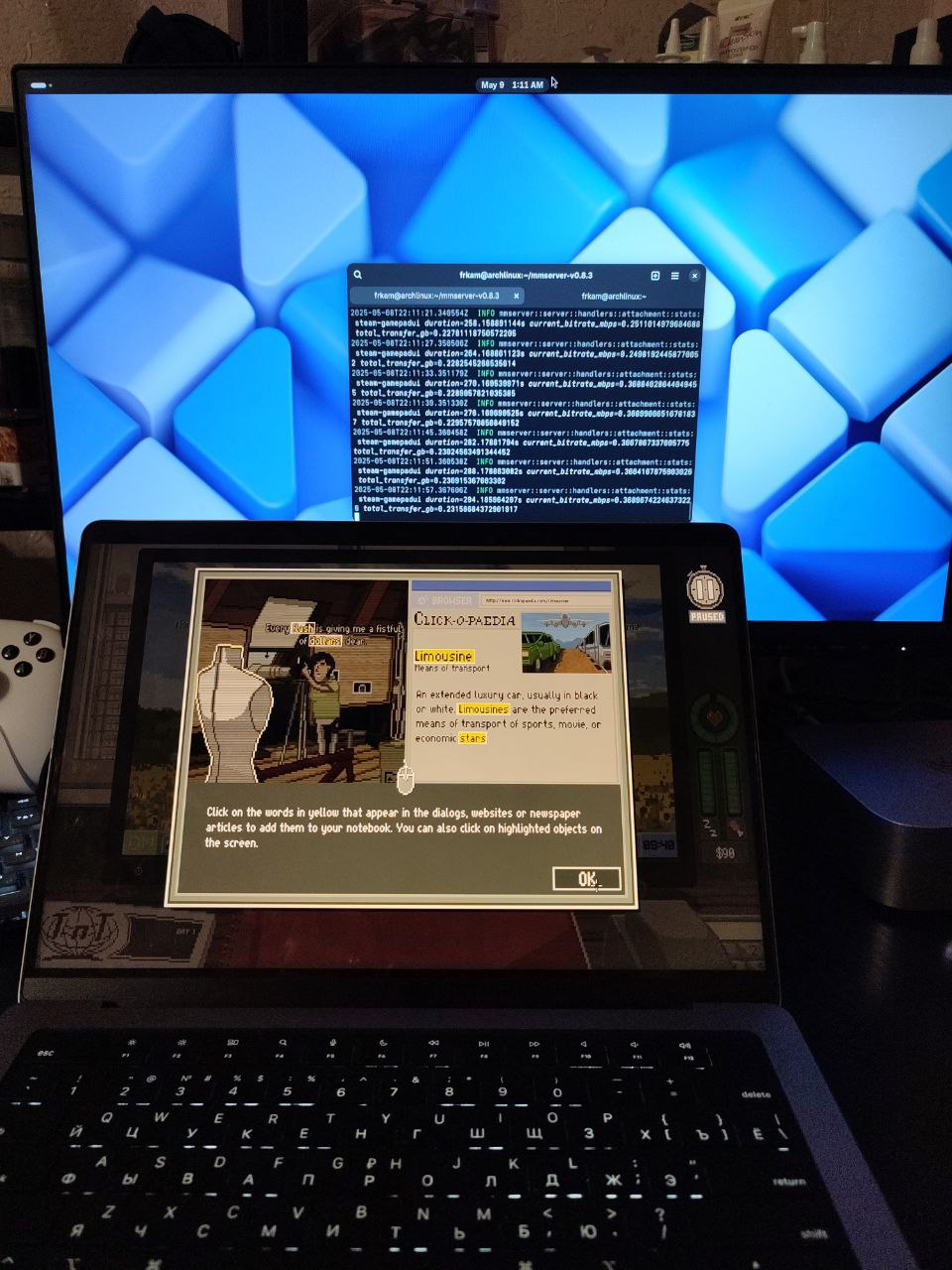
Experimental project exclusive to Linux with Wayland. It can stream multiple applications in the background without blocking access to the PC. Primarily designed for game streaming, it works quite similarly to Steam Link - launches applications and manages their state but cannot stream the entire system.
Advantages:
- Multi-clients support.
- Linux support.
Disadvantages:
- Unstable stream.
- Have clients only for macOS and Linux.
Platforms:
- Host: Linux with Wayland
- Clients: macOS with GUI or Linux from terminal
What I use myself
I personally chose Apollo because it works simply and reliably. As for alternatives, I suggest considering the following:
- Sunshine - if you prefer using Linux on your PC for gaming. You can explore possible virtual display solutions and implement them yourself through scripts.
- Duo - if you want to use your PC on multiple clients simultaneously or continue using it while someone else is playing.
Technical details
Each client requires a different amount of time to decode the stream, which affects input lag. The community has created a table listing clients and their decoding performance: SoC-Benchmark. If the link is currently outdated, the table can be found by searching for "Moonlight decoding performance excel".
If you are using a Steam Deck, you may experience unstable streaming due to the odd behavior of the Wi-Fi module. A solution can be found in this Github Issue.